
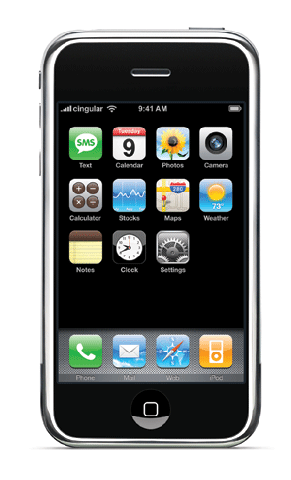
 I just got an iPhone and I love it! The interface is unbelievable. Some of the applications like the Google Map integration and the Facebook iPhone web-app have been really useful.
There are a couple things I’m trying to figure out to maximize it for YL usage. Maybe this will be in the iPhone 2.
1) Is there a better way to group text message? Right now you can pick the individuals for a multi-person text, but not a way to manage a group. The Treo had a great free program to do this.
2) How to best organize my contacts on the phone. I have a lot of contacts, over 1100. As far as I know the iPhone doesn’t do any sorting or categories. One of my leaders enters club kids phone numbers with "YL" in front of the name. (i.e. YL – John Smith) This way they are all together and easy to find.
QUESTION: How do you organize your club kids names for easy retrieval? Also, any iPhone tips would be appreciated.
9 thoughts on “iPhone, iPhone 2, texting, phone numbers and Young Life kids”
I’m not into Macs or the iPhone on principle, but for the sake of you being able to connect with more kids: When you are entering in the numbers you want to send the text to (i.e. all the YLers) do they show up in a field similar to an email (showing them as a list)? That is what my phone does – so I highlight and copy the whole list. Then I go to the email on my phone and paste them into an email that I send to myself. Then whenever I want to send the “group” a text I go to my email and copy them out of there and into the “To:” field for a text message. Not sure if your phone can do that, but it works for me. P.S. PC beats Mac anyday 🙂 Good Luck – Brent
I use my grouping from my gmail account…thats the closest I can get. not really helpful with texting. It is a shame you can create Labels as you enter them in as a contact, but it does not really do anything as far as grouping that I can see. Wish I had not spent all that type typing in a school name for each kid.
Have you tried to use the group function on your address book? I assume you are syncing your Iphone to get your contacts. If so you should be able to use the group function to make a group and drag people into the group. Not sure if this transfers to Iphone thou.
Preston and Jason, thanks for your comments. I looked to see if my iPhone synced my groups, but it does not.
The lack of groups is a significant flaw in the iPhone.
Maybe when the 2.0 update comes out in June things will change. If not from Apple, then from 3rd party apps that are being developed with the SDK released a few weeks ago. Wow I just got really nerdy.
I recently got a hold of a iphone and was able to sync the groups. Here is what I did. I created a group in the address book, added everyone that belongs to that group. Opened itunes. Connected the phone to it. Then just checked the part that said sync all address books. It was able to get the groups on there, but still needed to add each person one by one to the sms. If that doesnt work shoot me an email
i added all my YL kidsand leaders to favorites. iphone will let you do that
The easiest way I have found to do max text with iphone is to put a company tag on all of the kids. ex. “Young Life” for the company name. When texting you can search by company name. If you simply start typing in “young life” it will bring up all the people that are part of that company.
Another hint, Iphone saves a ton of messages so usually for me the text from the week before is still somewhere down at the bottom of my text list so I can simply type a new message and resend it to the same group.
There is a new app that was created by a YL Leader named David Livengood called “Mass Text Message”. Unfortunately you do have to pay for it, it is $2.99 in the app store. I havent tried it yet but ive heard nothing but good things about it. It is supposed to be really productive and is currently ranked 45th out of 32,000 Productivity Apps.